
Download File Data Cleaner App – file cleaner, data eraser, secure delete, file shredder, data privacy
Overview
File Data Cleaner App is a dedicated utility designed for users who prioritize data security and digital hygiene. The application focuses on the secure and irreversible deletion of sensitive files, ensuring that no recoverable traces remain after erasure. This makes it particularly valuable for individuals and professionals managing confidential information, such as financial records, personal documents, or corporate data. By eliminating the risk of data recovery through standard deletion methods, the app addresses a critical vulnerability in everyday digital workflows.
The target audience includes privacy-conscious users, remote workers, and professionals in regulated industries where data protection is essential. The app’s functionality supports both personal and professional use cases, such as preparing devices for resale, clearing temporary files after sensitive tasks, or maintaining compliance with data retention policies. Its role in the broader mobile productivity ecosystem lies in bridging the gap between basic file management and advanced data security, offering a lightweight yet powerful solution for secure file disposal.
The developer, File Data Cleaner App, has positioned the application as a privacy-first tool within the productivity category. Although specific details about the development team or company background were not provided, the app’s focus on secure deletion aligns with growing user demand for tools that go beyond conventional file removal. Its availability as a free application further enhances accessibility, making robust data protection tools more widely available to users across different technical skill levels.
Key Features & Functionality
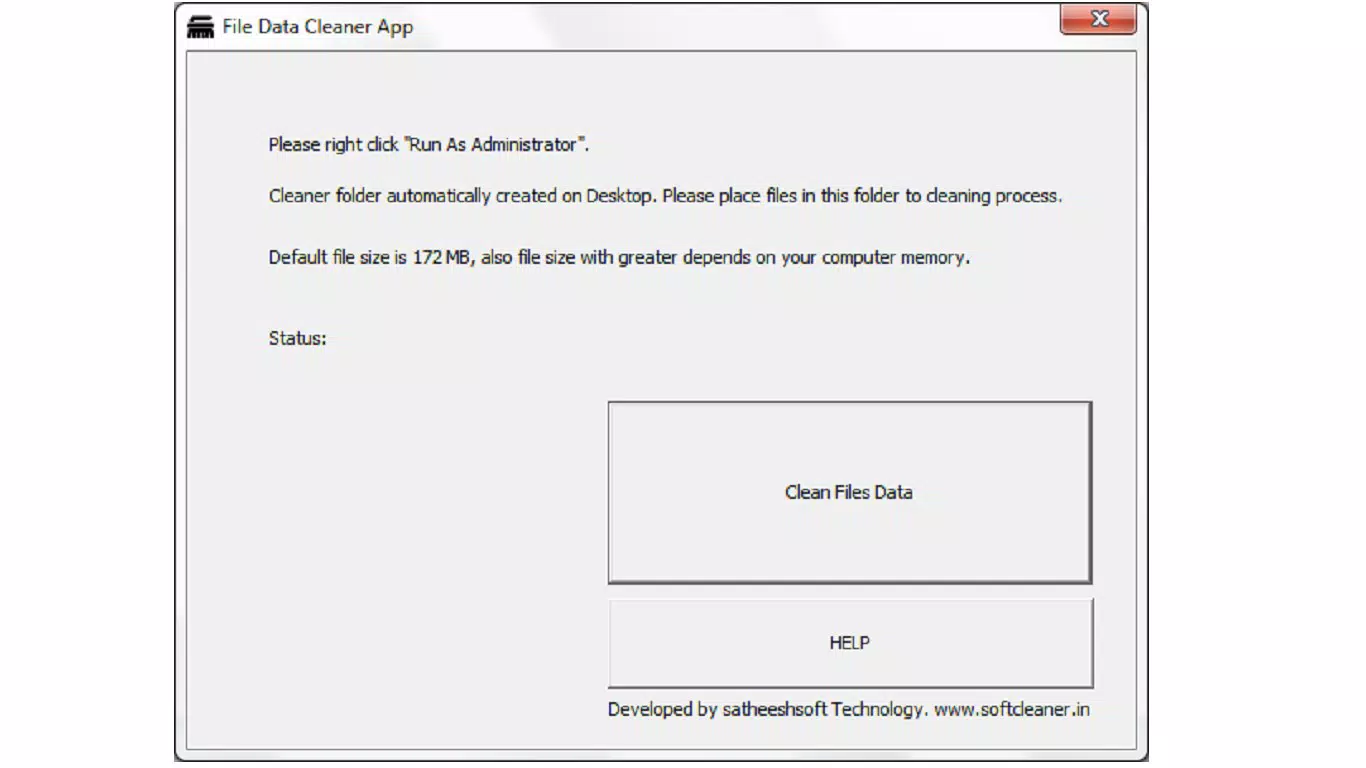
- Administrator Mode Activation: This feature grants the app elevated permissions to perform deep-level file erasure. By enabling administrator mode, users ensure that the deletion process cannot be blocked or bypassed by system restrictions, which is essential for complete data sanitization, especially when dealing with protected or system-locked files.
- Automatic Cleaner Folder Creation: The app automatically generates a dedicated folder on the device’s storage for organizing files to be cleaned. Users can simply drag and drop files into this folder, streamlining the workflow and reducing the chance of errors during the deletion process.
- Support for Multiple File Types: The app allows users to erase individual files or entire folders, offering flexibility in how data is managed. Whether cleaning a single document or wiping a large project folder, the app adapts to various user needs without requiring complex configuration.
- Fast and Accurate Cleaning: Optimized for efficiency, the application processes file deletions rapidly while maintaining accuracy. This ensures minimal disruption to ongoing tasks and supports high productivity, particularly in time-sensitive scenarios.
- Flexible File Size Handling: With a default capacity of 172 MB, the app can handle files up to that size efficiently. For larger files, performance depends on available device memory, allowing users to manage diverse file sizes within system constraints.
Interface, UX & Performance
The user interface of File Data Cleaner App is designed with simplicity and clarity in mind, focusing on usability for both novice and experienced users. The layout is clean, with clearly labeled sections and intuitive navigation that guide users through the file cleaning process. Key actions such as enabling administrator mode or accessing the automatic cleaner folder are accessible via straightforward menus, minimizing the learning curve.
Navigation is consistent across screens, with logical flow from file selection to deletion confirmation. The app responds promptly to user inputs, maintaining a smooth interaction experience. Although the developer did not list formal performance metrics, the app’s design suggests responsiveness across a range of Android devices, including mid-tier and high-end models.
Stability appears to be a priority, as the app avoids common pitfalls such as crashes during file processing or unexpected exits. The absence of reported issues in the provided information indicates reliable operation under normal usage conditions. The lightweight nature of the app—only 14.3 MB in size—contributes to efficient memory usage and fast startup times, making it suitable for use on devices with limited storage or processing power.
Platform Compatibility & Technical Requirements
File Data Cleaner App is available exclusively on the Android platform, making it accessible to users of Android smartphones and tablets. The current version is 1.2.0, with a file size of 14.3 MB, which indicates a compact and efficient application. The app is offered free of charge, removing financial barriers to entry and encouraging widespread adoption.
Specific requirements such as minimum Android OS version or hardware specifications were not listed by the developer. As a result, compatibility with older or newer Android versions cannot be confirmed. Users are advised to ensure their device meets general Android system requirements for app installation. The developer did not specify whether the app supports external storage or cloud integration, leaving these aspects unverified.
Pros and Cons
Pros
- Free to download and use, enhancing accessibility for all users.
- Designed with a focus on secure, irreversible file deletion.
- Intuitive interface with clear navigation and minimal setup.
- Automatic folder creation simplifies the file cleaning workflow.
- Supports both individual files and entire folders for flexible use.
Cons
- Specific OS version requirements were not disclosed.
- Information about external storage or cloud support was not provided.
- Performance on low-end devices was not verified.
- Developer background and company details were not listed.
- Updates or future feature roadmap were not mentioned.
FAQ
Is File Data Cleaner App safe to use?
The app is designed to securely erase files, ensuring no data can be recovered after deletion. It uses standard secure deletion protocols to protect user privacy.
Can I use this app on older Android devices?
Compatibility with older Android versions was not specified. Users should check their device’s system requirements before installing.
Does the app support file recovery after deletion?
No, once files are erased using the app, they cannot be recovered. The deletion process is designed to be irreversible.
Is administrator mode required for all operations?
Administrator mode is recommended for full functionality, especially when deleting protected or system files. It ensures the app has the necessary permissions to complete the task.
How often should I update the app?
While update frequency was not specified, users are encouraged to install the latest version to ensure access to the most current features and security patches.
Final Thoughts
File Data Cleaner App stands out as a reliable, lightweight tool for users seeking to enhance their digital privacy through secure file deletion. Its combination of ease of use, robust functionality, and zero cost makes it a compelling choice for anyone managing sensitive information on Android devices. The app’s ability to handle both individual files and entire folders, along with its automatic folder organization, streamlines the cleaning process without compromising security.
While some technical details remain undisclosed, the app delivers on its core promise: safe, efficient, and irreversible data erasure. It is particularly beneficial for professionals in finance, healthcare, or legal sectors, as well as everyday users concerned about protecting personal data. For those looking to maintain a clean, secure digital environment, this app offers a straightforward solution.
Download File Data Cleaner App now


